Commands
/mastery
Look up a player's top champion masteries, including mastery level, points, and when each champion was last played.
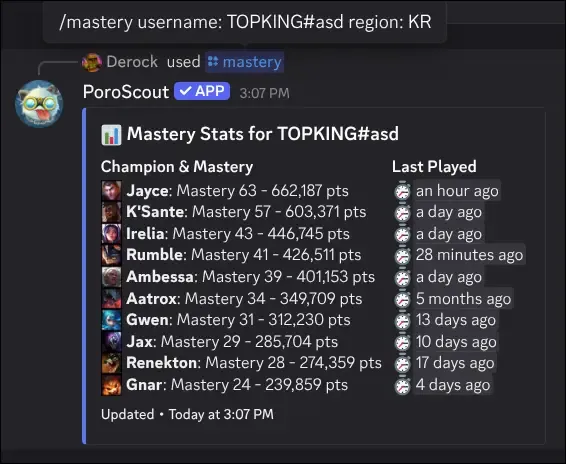
/mastery shows a player’s top ten champions by mastery. Each entry shows the champion’s mastery level, total mastery points, and how long ago it was last played.
What it shows
The embed lists champions sorted from highest to lowest mastery level (ties are broken by mastery points). For each champion you get:
- Champion icon and name with the mastery level (M1 through M10+).
- Total mastery points formatted with commas for readability.
- Last played shown as a relative timestamp (for example, “3 days ago”).
Usage
/mastery
/mastery username:<RiotID#Tag> region:<region>| Option | Required | Description |
|---|---|---|
username | No | The Riot ID to look up. Leave blank to use your linked account. |
region | No | The region the account is in. Required if providing a username without a link. |
Example
Tips
/profilealso shows a player’s top five mastery champions as part of the full overview.- Link your account so you can run
/masterywith no arguments.